
TouchDown Mail8.0.7 - App Store
You'll be able to see results in few seconds.
Publisher Description
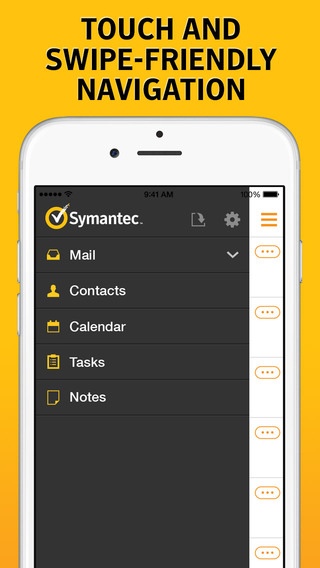
NOTE: TouchDown requires your Exchange Server to support ActiveSync protocol. Before purchasing, please confirm with your IT that ActiveSync is enabled for you. Just because TouchDown for other platforms is able to connect may not mean that this version will connect to your server.
NEW! TouchDown now supports iOS7 battery optimized background fetch to keep content up to date even when application is not running in foreground.
With more than a million users, TouchDown is the leading Microsoft ActiveSync email solution for securing corporate email on mobile devices. This cost-effective solution provides a highly secure container for all corporate data so administrators can successfully separate and partition corporate data from personal, ensuring their bring your own device (BYOD) programs are not only flexible, but also secure. TouchDown provides comprehensive support for Exchange , Information Rights Management (IRM) and Data Loss Protection policies. Using AES-256 encryption, TouchDown adds an extra layer of security, while also providing more than 80% of Outlook functionality. While TouchDown is a robust stand-alone solution, it also provides seamless integration with all of the leading Mobile Device Management (MDM) solutions.
SECURITY:
-Data at Rest encryption
-Remote wipe/kill
-AES-256 encryption
-S/MIME
-IRM support with Exchange 2010(SP2)
-PIN Policy at application level
-Enterprise Configuration Extensions
-Separation of personal data and corporate data
EMAIL:
-Edit signature line with HTML support
-BCC Self
-Move and sync folders
-Download attachments
-Enable HTML
-Access the Global Address List
-Flag for follow up
-Assign Categories
NOTIFICATIONS:
-Badge on new email
-Background fetch email
CALENDAR:
-Edit, Update and Delete appointments
-Accept, decline and create meetings
-Assign categories
-Agenda, Day, Week and Month views
-Customizable work week
-Support for Zooming
CONTACTS:
-One-way export to device phonebook
-Call or email from contact list
-Create, Edit and Delete contacts
-Edit multiple fields
-Add photo
-Assign categories
TASKS:
-Create, Edit and Delete tasks
-Assign categories
-Sync multiple folders
NOTES:
-Create, Edit and Delete notes
-Assign categories
-Sync multiple folders
Where to find NitroDesk, Inc:
-Online: http://www.nitrodesk.com
-Facebook: http://www.facebook.com/nitrodesk
-Twitter: @nitrodesk
For support and feature requests, please email: TouchDown-iOSsupport@symantec.com
Thanks for all the comments, we follow them closely to bring you better updates.
Requires iOS 7.0 or later. Compatible with iPhone, iPad, and iPod touch.
About TouchDown Mail
The company that develops TouchDown Mail is NitroDesk, Inc.. The latest version released by its developer is 8.0.7.
To install TouchDown Mail on your iOS device, just click the green Continue To App button above to start the installation process. The app is listed on our website since 2012-09-24 and was downloaded 0 times. We have already checked if the download link is safe, however for your own protection we recommend that you scan the downloaded app with your antivirus. Your antivirus may detect the TouchDown Mail as malware if the download link is broken.
How to install TouchDown Mail on your iOS device:
- Click on the Continue To App button on our website. This will redirect you to the App Store.
- Once the TouchDown Mail is shown in the iTunes listing of your iOS device, you can start its download and installation. Tap on the GET button to the right of the app to start downloading it.
- If you are not logged-in the iOS appstore app, you'll be prompted for your your Apple ID and/or password.
- After TouchDown Mail is downloaded, you'll see an INSTALL button to the right. Tap on it to start the actual installation of the iOS app.
- Once installation is finished you can tap on the OPEN button to start it. Its icon will also be added to your device home screen.
Program Details
System requirements
Download information
Pricing
Version History
version 8.0.7
posted on 2012-09-24
Disclaimer
Official App Store Link
We do not host TouchDown Mail on our servers. We did not scan it for viruses, adware, spyware or other type of malware. This app is hosted by Apple and passed their terms and conditions to be listed there. We recommend caution when installing it.
The App Store link for TouchDown Mail is provided to you by apps112.com without any warranties, representations or guarantees of any kind, so access it at your own risk.
If you have questions regarding this particular app contact the publisher directly. For questions about the functionalities of apps112.com contact us.
